Momo, the Pawse chibi pet

Cute water, habit & break reminder for MacTake a pawse.

A tiny 3D friend walks onto your screen and asks: did you drink water? Did you stretch? Time for a break? Say yes and it bounces with joy. Say "not yet" and… well, look at that face.

Free · open source · macOS 13 Ventura or later · Apple silicon & Intel · v1.0.1

Pawse on Product Hunt
Momo · just now

Hey hey! Did you drink water? 💧

💧2/8
Why a pet?

Notifications get swiped away. Banners get muted. Reminders get ignored. But it's really hard to say no to someone small and hopeful who walked all the way across your screen just to ask if you're okay.

Mochi the cat looking hopeful
Everything in one place

Water, habits & screen time.

Water

Sip, sip,
hooray.

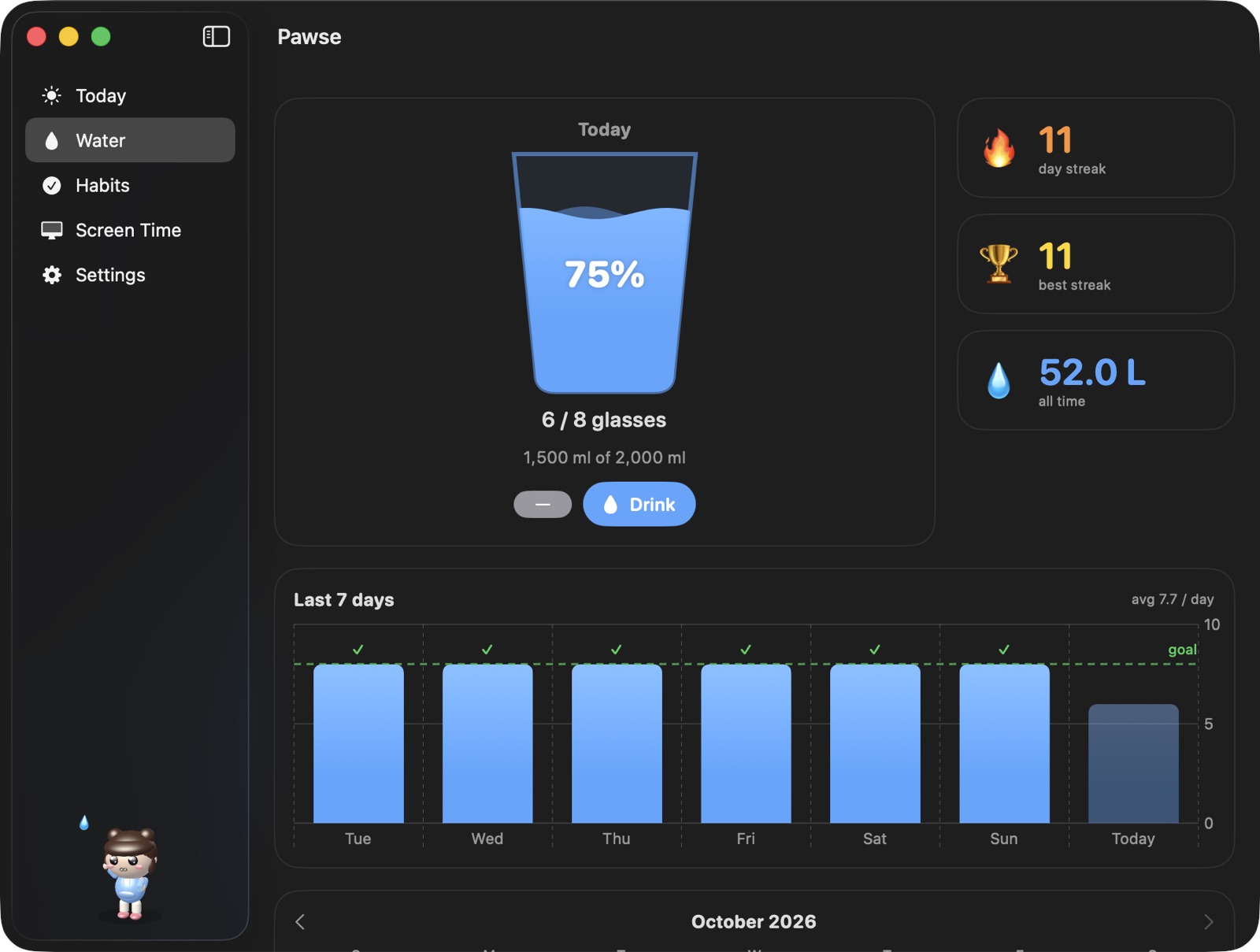
Set a daily goal and glass size. Your pet visits on your schedule, only during your active hours, and stops once you hit your goal.

  • Daily goal
  • Streaks
  • Month calendar
  • One-click log
Pawse water tracker with a 75% full glass and streaks
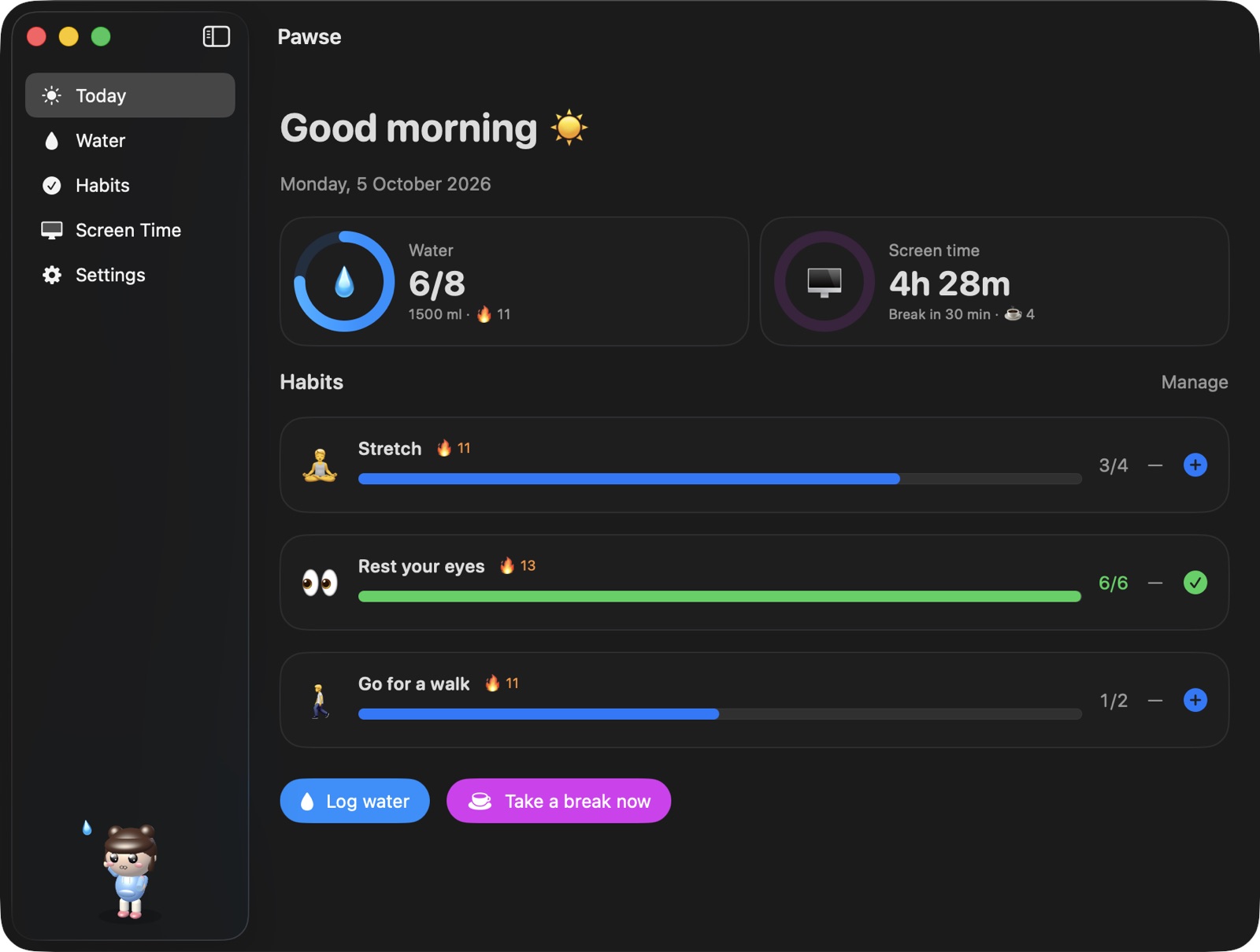
6/8
glasses today
🔥 11
day streak
Habits

Any habit.
Any interval.

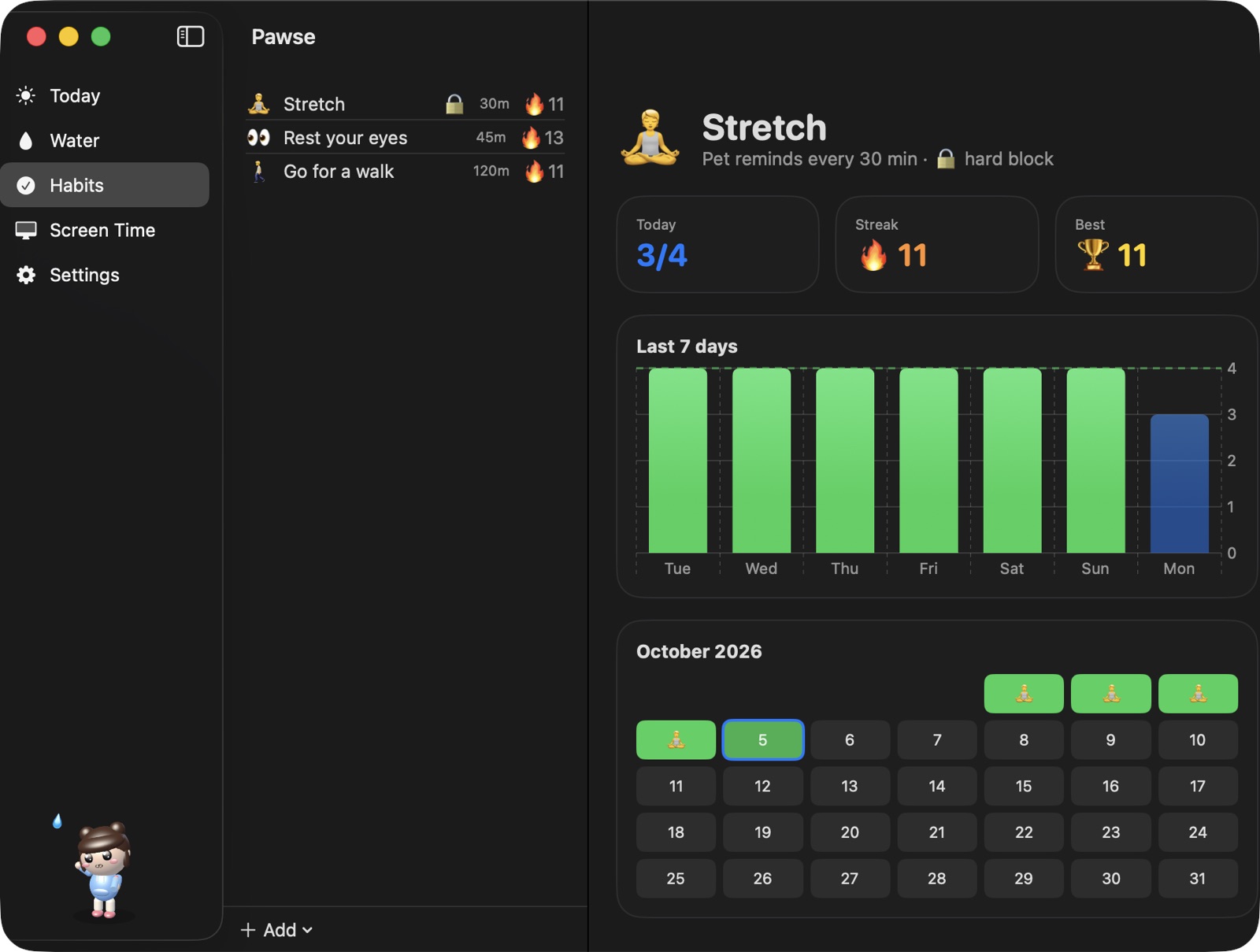
Stretch every 30 minutes. Walk every 45. Rest your eyes every 20. Create any habit with an emoji and a goal, and your pet asks about it.

  • 🧘 Stretch · 30m
  • 🚶 Walk · 45m
  • 👀 Eyes · 20m
  • ✨ Anything
Pawse habits page with streaks and a monthly calendar
🧘 3/4
stretches
every 30m
pet reminder
Screen time

Breaks you'll
actually take.

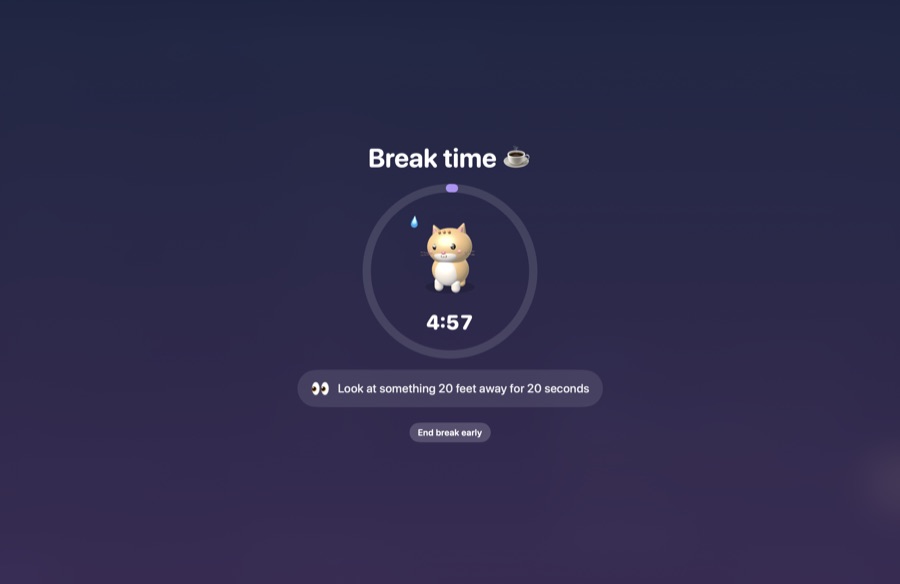
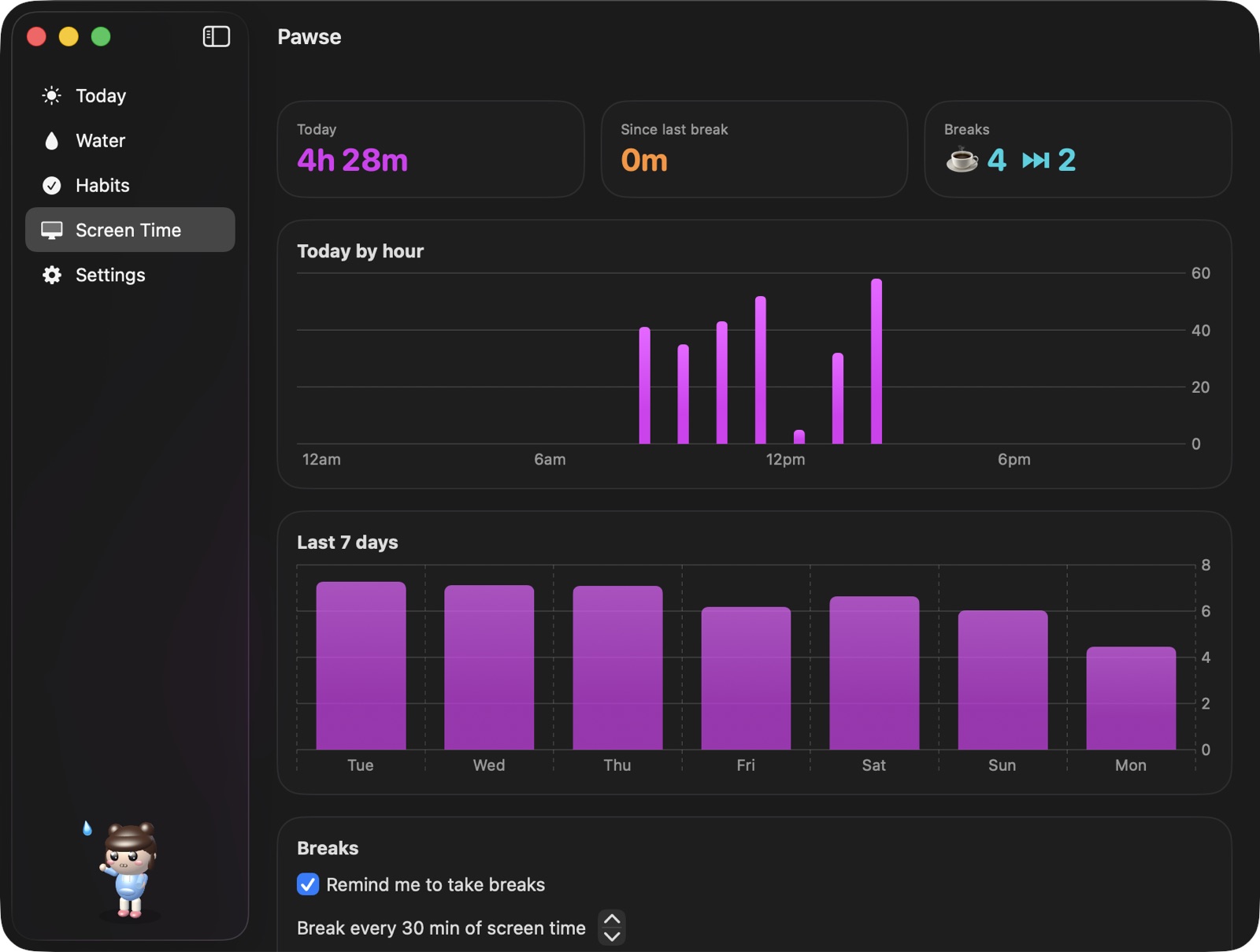
Pawse measures active use and pauses when you step away. After 30 minutes of continuous screen time, a calm full-screen break with tips like the 20-20-20 rule.

  • Hourly chart
  • Auto-pause
  • Daily limit
  • 20-20-20 tips
Pawse full-screen break countdown with an eye-rest tip
4h 28m
screen time today
☕ 4
breaks taken
Hard block

No snooze.
No excuses.

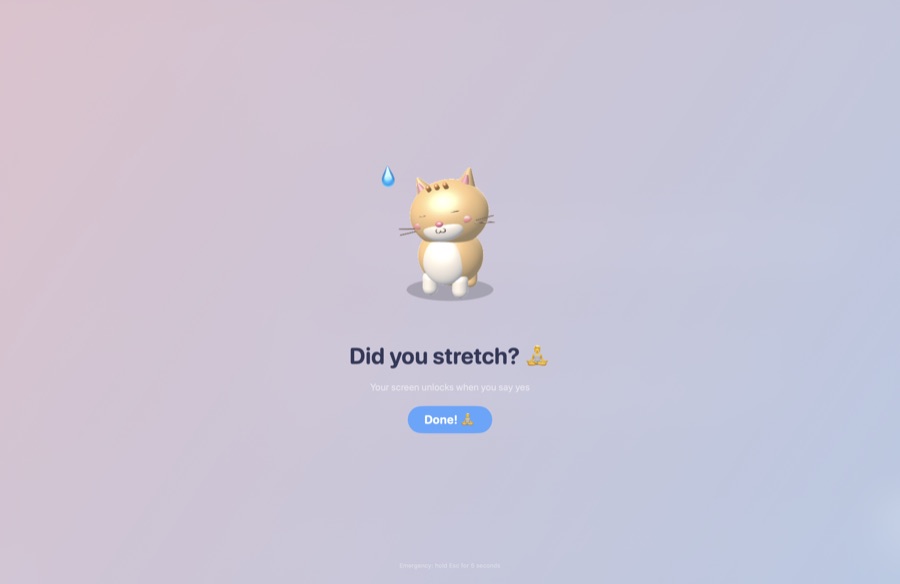
For the habits you're serious about: the pet covers the whole screen until you say yes. For water, any habit, or breaks. Emergency exit: hold Esc for 5 seconds.

  • Per habit
  • Locked breaks
  • Esc × 5s escape
Pawse hard block screen asking 'Did you stretch?'
🔒
screen locked
Done! 🧘
the only way out
The app

One window.
Your whole day.

Pawse Today dashboard with water, screen time and habitsPawse habit detail with streak and calendarPawse screen time with hourly and weekly charts
☀️ Today✅ Habits🖥️ Screen time
How it works

A day with Pawse.

9:00

Good morning, water?

Momo walks in with a bottle before your first meeting.

10:30

Did you stretch?

Your 30-minute stretch habit. Mochi waits for an answer.

12:00

Break time ☕

30 minutes of screen time. A calm countdown, eyes off the screen.

15:00

Not yet?

Boo droops, sniffles, and floats back a little later.

18:00

Goal reached 🎉

8/8 glasses, 4 stretches. Your streak grows to 12 days.

By the numbers

Small app.
Big care.

5

hand-built 3D pets with voices and moods

0

network requests. Your data never leaves your Mac

$0

forever. Free and open source under MIT

5MB

universal download for Apple silicon and Intel

13+

macOS Ventura and every version since

30m

default break rhythm, adjustable to anything

Meet the gang

Pick your buddy.

Five hand-built 3D desktop pets, each with its own walk, voice and personality. Tap the moods. Or drop in any .usdz model.

Momo, a Pawse pet, looking curious

Momo

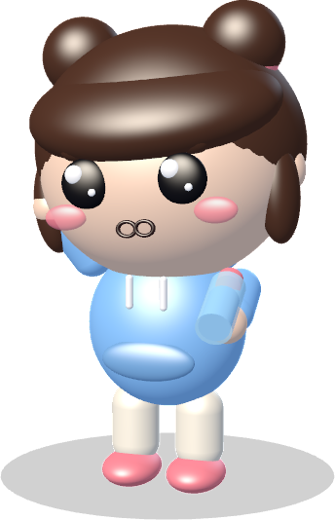
The chatty chibi. Has a real voice, offers you a water bottle and takes a big sip when you do.

Mochi, a Pawse pet, looking curious

Mochi

Tail swishes, ears twitch, and a meow you won't want to ignore.

Pip, a Pawse pet, looking curious

Pip

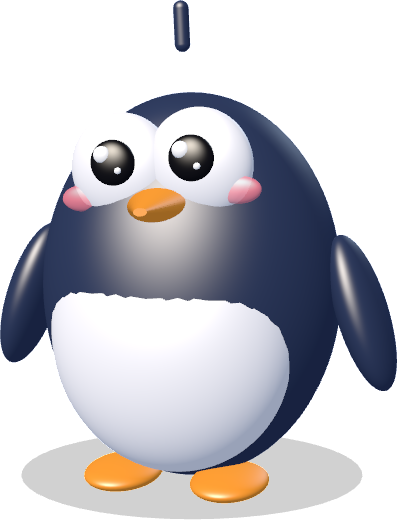
Waddles in and flaps both flippers when you drink. Pure joy.

Yuzu, a Pawse pet, looking curious

Yuzu

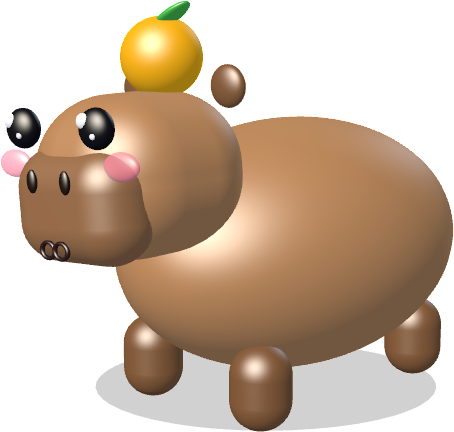
Calm, chill, and carrying an orange on its head. Squeaks softly.

Boo, a Pawse pet, looking curious

Boo

A gentle ghost bunny that floats in, ears streaming. Ooo~

🔒 Hard block

Serious mode.

Your pet covers the whole screen, and it only unlocks when you say yes. No snoozing, no ending breaks early. There's always an emergency exit: hold Esc for 5 seconds.

Pawse hard block screen with a Done button
FAQ

Questions, answered.

What is Pawse?

Pawse is a free, open-source macOS menu bar app that reminds you to drink water, keep your habits and take breaks. Instead of a notification, a cute 3D pet walks onto your screen and asks you, for example "Did you drink water?". You answer yes or not yet.

Is Pawse free?

Yes. Pawse is completely free and open source under the MIT licence. There are no ads, subscriptions, in-app purchases or accounts.

Which Macs and macOS versions does Pawse support?

Pawse runs on macOS 13 Ventura, macOS 14 Sonoma, macOS 15 Sequoia and newer, on both Apple silicon (M1, M2, M3, M4) and Intel Macs. The download is a universal app.

How do I get a reminder to stretch every 30 minutes on my Mac?

Open Pawse → Habits → Add → Stretch (or a custom habit), turn on "Pet reminds me" and set the interval to 30 minutes. Your pet will walk in every 30 minutes and ask "Did you stretch?". You can use any interval for any habit.

Can Pawse remind me to take breaks from the screen?

Yes. Pawse tracks active screen time from keyboard and mouse activity and, after 30 minutes of continuous use (adjustable), asks you to take a break. Breaks show a calm full-screen countdown with tips like the 20-20-20 eye rule. Stepping away for 3 minutes counts as a break automatically.

What is hard block?

Hard block is an optional mode for water, any habit or breaks. When a reminder is due, the pet covers the whole screen and it only unlocks when you confirm you did it. Breaks in hard block cannot be snoozed or ended early. For safety, holding Esc for 5 seconds always unlocks.

Does Pawse collect my data?

No. Pawse makes no network requests and has no analytics or accounts. Your history stays on your Mac. For screen time it reads only how many seconds ago you last pressed a key or moved the mouse, never what you type or which apps you use.

Which pets are included?

Five 3D pets: Momo the Chibi (with a voice), Mochi the Cat, Pip the Penguin, Yuzu the Capybara and Boo the Ghost Bunny. You can also drop any .usdz 3D model into Pawse to use it as a pet.

How is Pawse different from other water or break reminder apps?

Most reminder apps send notifications that are easy to swipe away. Pawse combines water tracking, habit reminders on any interval and screen-time breaks in one app, delivered by an animated pet with expressions and sounds, plus an optional hard block for habits you're serious about.

Pawse app icon

Take a pawse.

Free forever. Lives quietly in your menu bar until it's time to care.

⬇ Download Pawse for MacPawse on Product Hunt

First launch: if macOS can't verify the developer, right-click Pawse in Applications → Open → Open. Requires macOS 13 Ventura or later · Apple silicon & Intel.